DDR5 vs DDR4: Which RAM Wins for Gaming in 2026?
DDR5 and DDR4 aren't just two speeds of the same thing. They use different slots, pair with different chipsets, and the one you pick locks in your motherboard options before you buy anything else.
When DDR5 launched, I didn't bite. Too expensive, and the frame rate differences in gaming were within the margin of error. That's mostly changed — kits are cheaper, and the performance gap has widened enough to matter, especially at higher CPU speeds. Supply is tightening again due to data center demand, so the current pricing may not be the floor.
Here's what's actually worth buying depending on what you're building.
What DDR Actually Means and Why It Matters
DDR SDRAM is the memory your CPU pulls from while things are actually running. Open applications, game assets, browser tabs — it all sits in RAM. When RAM runs out or can't move data fast enough, everything else waits.
Each DDR generation raises the bandwidth ceiling. The reason new generations keep appearing is straightforward: CPUs and GPUs keep demanding more throughput, and the previous generation eventually becomes the bottleneck.
Most people don't notice slow RAM until something else gets fast enough to expose it.
The Real Difference Between DDR5 and DDR4
DDR4 launched at 2133MHz. Most kits you'll actually find in a build run at 3200MHz, with some faster options at 3600MHz if you're willing to pay a little more.
DDR5 starts where DDR4 peaks. The baseline spec is 4800MHz, mainstream kits now sit around 6000–6400MHz, and overclocked modules have reached 8000MHz.
Raw MHz isn't the whole picture, though. Latency moved in the wrong direction, and that changes how the numbers translate into real performance.
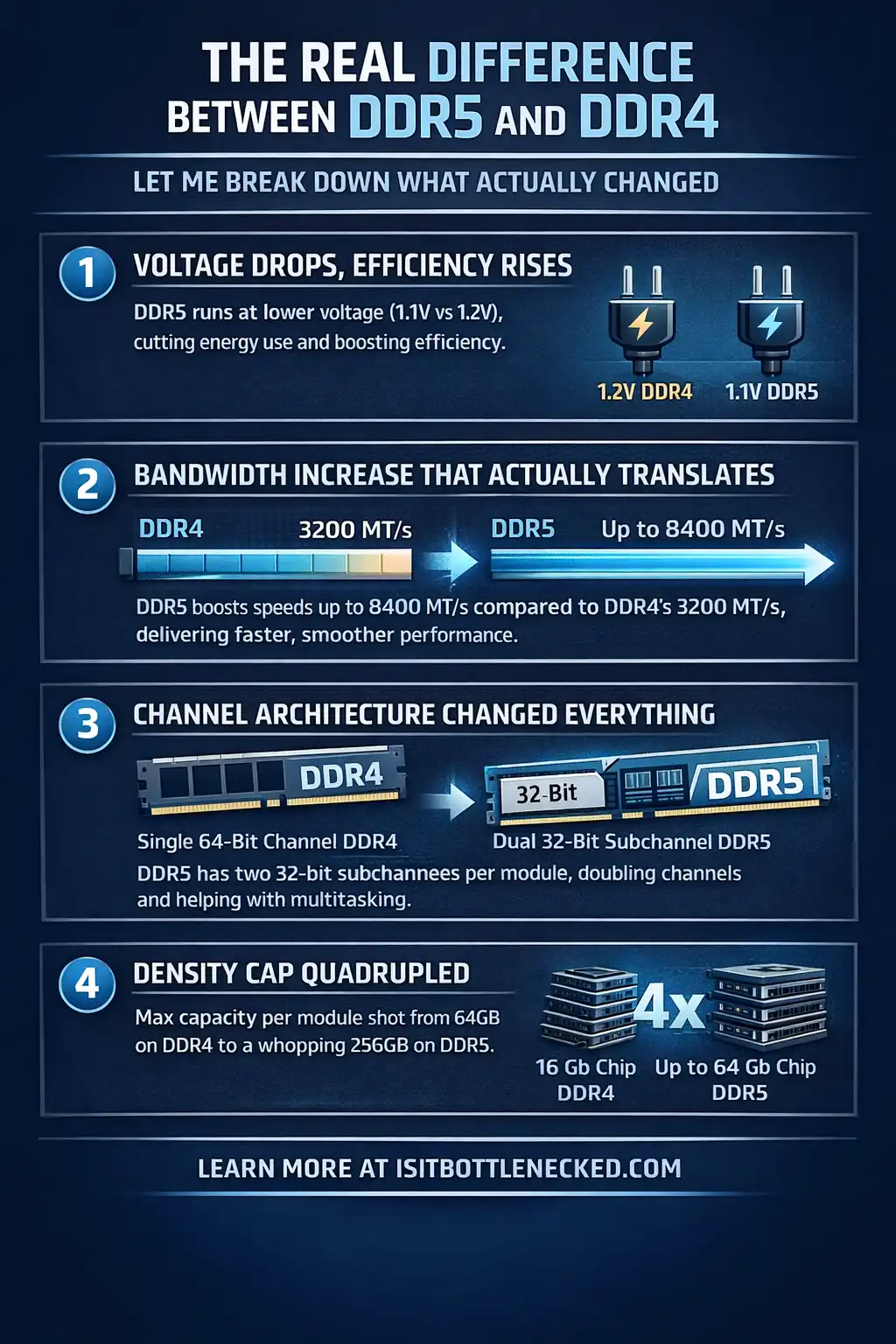
Voltage Drops, Efficiency Rises
DDR4 operates at 1.2v. DDR5 runs at 1.1v. That reduction helps with module consumption and allows for better cooling technology integration.
More importantly, DDR5 incorporates a PMIC (Power Management Integrated Circuit) directly on the module. This IC handles power regulation and management, which was previously the motherboard's job.
Power gets distributed through regulated Vdd voltage rails, comprising VDDQ and VPP. The result? Improved efficiency and reduced heat, though it also makes the module warmer under load and adds to motherboard cost and complexity.
Bandwidth Increase That Actually Translates
The bandwidth increase from DDR4 to DDR5 is potentially massive. DDR4 maxes out around 25.6 GB/s per module at 3200MHz. DDR5 at 6400MHz? We're looking at 51.2 GB/s—doubling the theoretical maximum.
For memory-intensive projects and immersive gaming experiences, this matters. Game studios are building features and assets into games that demand more. The benefits become clear when your system supports what modern titles need.
Channel Architecture Changed Everything
Here's something many people miss. DDR4 uses a single 64-bit channel per DIMM (or 72-bit with ECC channels). DDR5? It's comprised of two independent 32-bit channels per module.
This means each DIMM essentially converts into a dual-channel configuration rather than single-channel. The total width remains the same, but having independent access allows the CPU to receive and output data more efficiently.
The left side and right are served independently, which helps address latency in certain workloads. The burst length also changed. DDR4 uses BL8 (burst length 8), accessing 64 bytes per burst—typical cache line size.
DDR5 extended this to BL16, accessing 128 bytes. This provides significant improvement for concurrency and works smoothly with modern CPU cache structures.
Density Cap Quadrupled
DDR4 density maxes at 16Gb per die using single-die package (SDP) designs. DDR5 raised this to 64Gb, quadrupling the capacity devices can achieve.
Most initially delivered DDR5 modules support 32GB sticks easily, and we're already seeing 128GB modules. The denser sticks mean you can have massive capacity in a dual-DIMM setup.
I remember when 32GB was considered extreme. Now it's becoming mainstream with the advent of DDR5 kits and increasingly modern games that reach for more memory.
DDR5 vs DDR4: Architecture Deep Dive
The design challenges DDR5 addresses go beyond just bandwidth. The standard specification advances include several features that help computing system architects, designers, and purchasers build better systems.
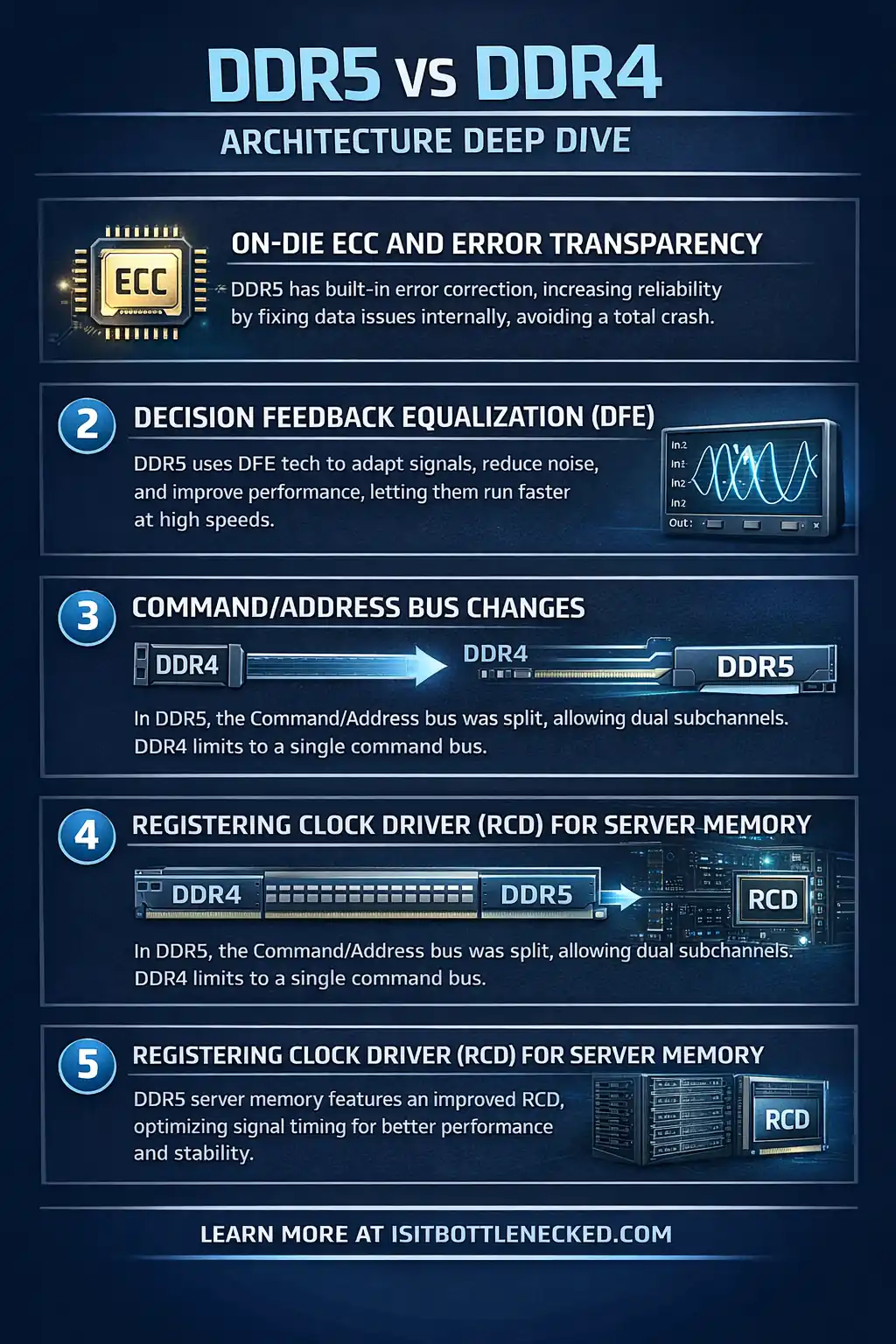
On-Die ECC and Error Transparency
DDR5 includes on-die ECC (ODECC), which is another critical feature. Don't get this confused with standard ECC memory.
As memory manufacturers turn to smaller nodes, DRAM becomes more prone to potential errors within the die itself. ODECC is designed to correct these internal errors and improve reliability.
Unfortunately, this protection is limited to the DRAM arrays inside the chip. Once data leaves the die and goes into transit to the CPU, ODECC doesn't protect it.
That's why proper ECC implementation is still a question for enterprise customers. However, for most users, ODECC adds a layer of reliability that DDR4 didn't have, which improves overall system stability.
Decision Feedback Equalization (DFE)
DDR5 uses Decision Feedback Equalization for signal integrity. As data rates climb and noise becomes an issue, DFE helps control the channel bus and maintain signal quality.
The highest density configurations benefit amplified by this feature, providing greater noise margin when running at extreme speeds.
Command/Address Bus Changes
DDR4 used SSTL (Stub Series Terminated Logic) signaling. DDR5 moved to PODL (Pseudo Open Drain Logic) for Command/Address lines, which drops static power when pins are in a parked state.
Small changes like this add up. When you're running a server DIMM or even high-end consumer memory, reducing power consumption translates to lower heat and better overclocking in CPU and GPU scenarios.
Registering Clock Driver (RCD) for Server Memory
In server-grade RDIMMs and LRDIMMs, DDR5 introduced an improved RCD (Registering Driver) that takes input from the memory controller and creates usable clock signals, helping distribute the load better.
Most consumer boards don't use these features, but they're crucial for data centers where stability matters more than raw speed.
Real-World Performance: Testing DDR5 vs DDR4
I paired both memory types with a flagship processor to see what actually happens. Using a dual-channel configuration, I tested kits at their default speeds and then pushed them with overclocking headroom.
Test Methodology
To ensure a level playing field, I used identical systems. Same CPU, same GPU, same storage, same cooler, same case. The only variable? The RAM.
For DDR4, I tested a 3200MHz kit and pushed it to 4000MHz with tighter timings. For DDR5, I evaluated a 6400MHz kit and got it stable at 7200MHz.
Both were dual-rank designs using high-quality gigabit dies. The DDR4 came with generous overclocking potential—I didn't have any problems pushing it through tests.
My DDR5 sample could hit even higher speeds, but I chose the middle ground to get a good representation of what most users would achieve.
Bandwidth Results Speak Volumes
In pure bandwidth measurement, DDR5 destroyed DDR4. When I went from 3200MHz DDR4 to 6400MHz DDR5, bandwidth naturally more than doubled.
The difference dropped when looking at overclocked configs. My 4000MHz DDR4 still got beaten by stock 6400MHz DDR5, but the gap was less dramatic.
However, bandwidth isn't everything. Latency matters, and DDR5's looser timings can minimize the difference in some workloads.
Gaming Benchmarks: Where It Gets Interesting
For everyday tasks—like office work or casual browsing—the difference between DDR4 and DDR5 is minimal. You won't notice it.
Gaming? That's where things vary. In CPU-bound cases, faster memory clearly showed results. Games that exhibit heavy reliance on memory bandwidth finished calculations faster with DDR5.
I tested around 15 games, focusing on titles that are known for being memory-sensitive. The key takeaways? Fast memory revealed benefits in specific games. Some benefited substantially with double-figure FPS gains. Others showed minimal uplift.
For instance, competitive shooters and open-world games with tons of assets excelled on DDR5. Meanwhile, older titles or GPU-bottleneck scenarios showed almost no difference.
Content Creation and Specialized Workloads
This is where DDR5 really stepped up. Video compression jobs, 3D rendering, and heavy multitasking all showed improvement.
My fastest DDR5 kit finished encoding tests 12-15% quicker than the best gaming CPU GPU combo running DDR4. That's not huge, but if you're a creator who runs these tasks daily, it adds up.
Pricing Reality Check: Is DDR5 Worth It?
Let's talk money. Four years ago, DDR5 was expensive—like, stupidly expensive. A basic 32GB kit retails at prices that made DDR4 look like a bargain.
Today? The gap has closed. You can find decent DDR5 kits for a little more than what you'd pay for high-end DDR4. Yes, the former is still more costly, but it won't remain this high forever.
The current situation with supply and demand has slapped some markups on both, but deals are available if you hunt.
Future-Proofing Value
Here's my take. If you're upgrading today, DDR5 means you can reuse your memory when you move to newer platforms down the road.
Intel's latest processors and AMD's current flagship chips only support DDR5. Some motherboards from the past supported both in hybrid configurations, but that era is behind us.
Buying DDR4 now? You're essentially buying legacy tech. It's still plenty fast for most needs, but you're limiting your options.
Best Bang for Buck
If you're on a tight budget, cheapest DDR4 at 3200MHz still makes sense. Pair it with a used or older platform, and you'll get solid performance.
However, if you're building new or want to keep your system wet behind the ears and pretty high-end, DDR5 is the only option that makes sense. The costs have dropped enough that the investment is justified for most builders.
When Should You Pick DDR5 vs DDR4?
Here's how I'd decide:
Go with DDR4 if:
- You're on an extremely tight budget
- Building a system with older CPUs that don't support DDR5
- You already have DDR4 and just need more capacity
- Gaming at 1080p with mid-range hardware where memory isn't the bottleneck
Go with DDR5 if:
- Building a new system with modern CPUs
- You want headroom for lifespan gaming PC builds
- Running memory-intensive workloads like video editing or 3D work
- You're a hardcore gamer who doesn't want to leave performance on the table
- Planning to upgrade CPUs within the next few years
Don't overthink it. Unless you're sticking with a legacy platform, DDR5 is where the industry is heading.
Power Consumption and Thermal Considerations
One thing I noticed during testing—DDR5 runs warmer than DDR4, especially when overclocked. The PMIC generates heat, and high-density modules need proper airflow.
If you're picking a best power supply gaming PC setup, remember that DDR5 itself doesn't draw much power, but the PMIC and additional circuitry add a bit to overall system consumption.
Most DDR5 modules come with heatsinks now. DHX DRAM yields better thermals, and cooling technology has evolved alongside the memory standard.
For extreme overclocking, you might even see active cooling on RAM. I've used modules with built-in fans, and while they're overkill for most, they work.
Compatibility: What Works Where
DDR5 and DDR4 use different pinouts. The result? A notch position that helps prevent less-experienced users from trying to insert DDR4 into a DDR5 slot or vice versa.
Motherboards support one or the other—not both on consumer platforms. Server boards occasionally allow migration with different slots, but that's too complex for most builders.
If you're checking compatibility, just know: DDR5 requires a DDR5-compatible motherboard and CPU. There's no mixing.
XMP, EXPO, and Overclocking Profiles
DDR4 introduced XMP (Extreme Memory Profile), which is Intel's extension for memory overclocking. It has evolved over time and is now in its third iteration with XMP 3.0.
AMD introduced EXPO for DDR5, which serves the same purpose. Nowadays, many kits are available with either XMP, EXPO, or both.
These profiles let you modify and save custom timings directly in the BIOS without manually configuring everything. Both technologies enable one-click overclocking, making it easy even for beginners.
Most high-binned DDR5 kits support speeds far beyond JEDEC spec. I've tested modules rated for 7200MHz that could hit 8000MHz with proper settings and voltage tweaks.
DDR4? You'll likely climb the voltage ladder to 1.35v or higher for serious overclocking. DDR5 can go to 1.4v or more on extreme profile kits.
The Industry Transition Is Happening
The transition from DDR4 to DDR5 is well underway. Server and client markets have largely moved to DDR5, and consumer adoption is accelerating.
Major computing system purchasers are pushing for DDR5 in enterprise environments because of the bandwidth gains and improved features like on-die ECC and better thermal telemetry.
Within the next year, I expect DDR4 to become less common in new builds. It's not dead—there's still massive demand for affordable systems—but the shift is clear.
Game studios are building titles that take advantage of higher bandwidth. The advent of DirectStorage and other technologies means memory speed will matter more, not less.
Top Seven Reasons DDR5 Will Dominate
- Higher bandwidth – Up to double what DDR4 offers
- Greater density – 128GB modules are becoming standard
- Lower voltage – Better efficiency despite running warmer
- On-die ECC – Improved reliability
- Independent channels – Better concurrency
- Future platform support – New CPUs only work with DDR5
- Industry momentum – Everyone's moving this direction
Comparing Spec Sheets: DDR5 vs DDR4 at a Glance
| Feature | DDR4 | DDR5 |
|---|---|---|
| Speed Range | 2133MHz - 4000MHz+ | 4800MHz - 8000MHz+ |
| Voltage | 1.2v | 1.1v |
| Max Density | 16GB per module (32GB total) | 64GB per module (128GB total) |
| Channels | Single 64-bit | Dual 32-bit |
| Burst Length | BL8 (64 bytes) | BL16 (128 bytes) |
| On-die ECC | No | Yes |
| PMIC | No | Yes |
The comparison scales across every metric. DDR5 is simply the next generation, and specifications prove it.
My Personal Take After Years of Testing
I've built dozens of systems with both DDR4 and DDR5. When DDR5 first released, it was a hard sell. The prices didn't make sense, the performance uplift was marginal for gaming, and availability was a nightmare.
Now? I recommend DDR5 to almost everyone building new. The costs have normalized, the kits are stable, and platform support is universal on modern CPUs.
However, if you've already got a DDR4 system that's working well, I wouldn't rush to upgrade. Wait until you're changing platforms. The gains in most games aren't big enough to warrant a full rebuild just for RAM.
But if you're starting fresh, seriously consider DDR5. It's not just about today—it's about where things are going.
Conclusion
For a new build in 2026, DDR5 is the straightforward choice. The price difference has shrunk enough that it's hard to justify DDR4 unless your motherboard forces the decision.
DDR4 isn't broken — it handles everyday workloads without drama. But most current platforms have moved on, and the ones that haven't are getting long in the tooth. If you're building fresh and your board supports both, there's not much reason to go backwards.
The real question is just compatibility. Check your platform, check your budget, and pick the fastest kit that fits both. The DDR5 vs DDR4 debate is mostly settled at this point — what's left is matching the right speed and capacity to what you're actually running.
FAQs
What does DDR stand for in computer memory? Double Data Rate. It transfers data twice per clock cycle instead of once, which is where the throughput improvement over older memory comes from.
Can I use DDR5 RAM in a DDR4 slot? No. The notch is in a different position and the pinouts don't match. They're physically incompatible — you can't seat one in the wrong slot even if you try.
Is DDR5 really worth the extra cost for gaming? For most people building new right now, yes — but not because DDR5 is dramatically faster in games. The price gap has mostly closed, and DDR4 platforms are getting old. The argument for DDR5 is less about raw performance and more about not building on hardware that's already being phased out.
What's the main advantage of DDR5 over DDR4? Bandwidth, mostly — around double what DDR4 can push. Each module also runs at lower voltage (1.1v vs 1.2v), supports higher capacities, includes on-die ECC, and uses dual 32-bit channels per DIMM instead of one 64-bit channel.
Do I need faster RAM for better gaming performance? Faster RAM helps, but the returns drop off fast. The jump from 3200MHz to 6400MHz is noticeable in CPU-bound games. Past that, you're paying more for less.
Why does DDR5 run hotter than DDR4? DDR5 moves the power regulation onto the module itself — there's a small chip on each stick that handles voltage, and it generates heat. The higher speeds and densities don't help either. Most kits come with heatsinks because of this.
Can I mix DDR4 and DDR5 on the same motherboard? No. Pick one and stick with it. Some enterprise server setups handle both, but that's not something consumer boards do.
What does JEDEC spec mean for RAM? JEDEC sets the floor — the official standard speed, voltage, and timings every module has to hit. Anything faster than that is overclocked, even if it ships that way and works fine out of the box.
Will DDR4 become obsolete soon? Not immediately, but the transition is well underway. If you're buying a high-end platform today, DDR4 probably isn't even an option. Budget boards and older systems will keep it alive for a few more years, but it's not where things are heading.
What's the difference between XMP and EXPO? XMP is Intel's standard for memory speed profiles. EXPO is AMD's. Both do the same thing — let you hit your RAM's rated speed with one setting in BIOS instead of tuning it manually. Most kits support both.
How much RAM do I actually need for gaming in 2026? 16GB is tight, 32GB is comfortable, 64GB is more than games need. If you're also running video editing or other memory-heavy work in the background, 64GB starts making sense. Otherwise, 32GB and move on.
Does RAM speed affect FPS in games? It can, but how much depends on the game. Some titles are genuinely memory-sensitive and will show 10–20% swings between slow and fast RAM. Others barely care. The effect is most obvious when your CPU and GPU aren't the bottleneck — which, for most setups, isn't most of the time.