Best Power Supply for Gaming PC 2026: 5 Quiet ATX 3.1 Picks
ATX 3.1 PSUs are built to handle the power spikes current GPUs pull during load. Older units weren't designed for that draw pattern, which is why a technically "adequate" PSU can still cause shutdowns on a modern card.
I've run into most of the failure modes worth avoiding: shutdowns at the worst possible moment, coil whine loud enough to be distracting, and cable connectors that looked fine until they didn't. Most of it came down to either not enough headroom or a PSU that couldn't deliver what the label claimed under real load.
The five picks below are all ATX 3.1, come with 12V-2x6 or 12VHPWR connectors for current GPU compatibility, and have enough rated headroom that a spike during a GPU-intensive scene doesn't pull the plug on your session.
How I pick the Best Power Supply for Gaming PC in 2026 (so you don’t fry a $1,000 GPU)
Cheap PSUs fail in ways that take other hardware with them. That's the version of "you'll pay later" that actually hurts. Here's what every unit on this list had to clear:
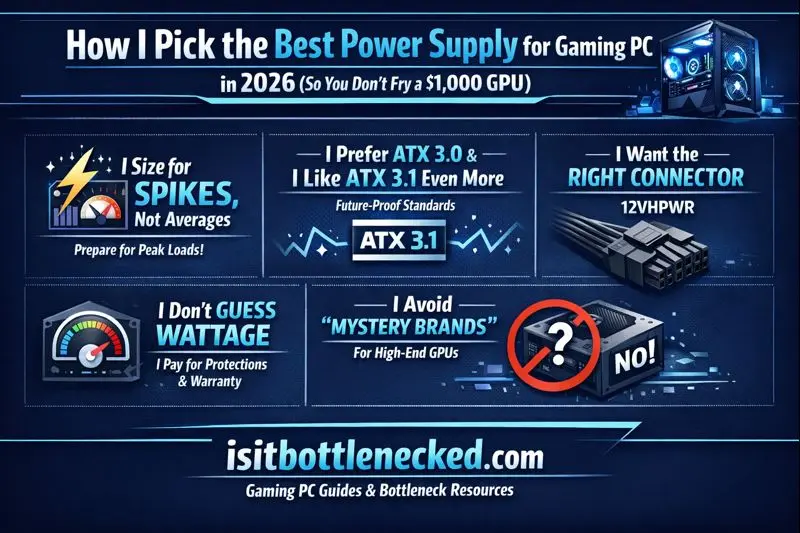
Spike handling. Modern GPUs don't pull power smoothly — they spike hard and fast during load. A PSU that can't respond to that causes black screens and random restarts that are easy to misdiagnose as driver problems.
ATX 3.0 minimum, 3.1 preferred. The spec was designed around how current GPUs behave under load. Older PSUs predate that behavior entirely and can struggle even when the rated wattage looks sufficient.
Native connector, not an adapter. If the GPU uses 12VHPWR or 12V-2x6, the PSU should ship that cable from the factory. Adapters have caused enough melted connectors that I won't recommend them.
Honest wattage sizing. I build from a realistic load estimate and add headroom for upgrades, not just what the current system draws at idle.
Protections and warranty length. A five or seven year warranty usually means the manufacturer expects the unit to last. A one year warranty on a budget unit tells you something about expectations on both sides.
Verifiable test results. If a brand doesn't have consistent independent reviews showing real measurements, it doesn't go next to an expensive GPU regardless of what the box claims.
If you're buying a current-gen card, read up on the power requirements before assuming your existing cables will work. The 12VHPWR situation specifically has caught people off guard.
Wattage that makes sense, not overkill for the Best Power Supply for Gaming PC
Here’s my simple range, based on what I see cause crashes under load:
- 650 to 750W: Midrange GPUs, midrange CPUs, no wild overclocks.
- 850W: The common sweet spot for most gamers.
- 1000W: High-end GPU plus high-end CPU, with safer headroom.
- 1200W: Upgrade-heavy builds, extra drives, or overclocking.
Size it wrong and you can pass idle tests, then crash the second a game hits a heavy scene.
Quality signs that matter more than the box for the Best Power Supply for Gaming PC
I treat these like non-negotiables:
- 80 Plus Gold as my floor. Platinum is nice, but I won’t pay extra if the unit is already stable and quiet.
- Safety protections like OCP, OVP, OTP, SCP (these help prevent damage when something goes wrong).
- Long warranty (10 years is common on better units).
- Noise and fan curve: A good PSU stays quiet most of the time, not just on a spec sheet.
- Cable quality: Stiff, short, or sketchy cables make building harder, and they can create bad bends at the GPU plug.
5 best power supplies for a gaming PC in 2026 (my safe picks)
I’m keeping this tight. These are the units I’d actually feel good installing in a gaming PC today, based on real-world reputation, standards support, and sane warranties. Also, match wattage to your parts, a list of CPU and GPU combos helps you avoid guessing.
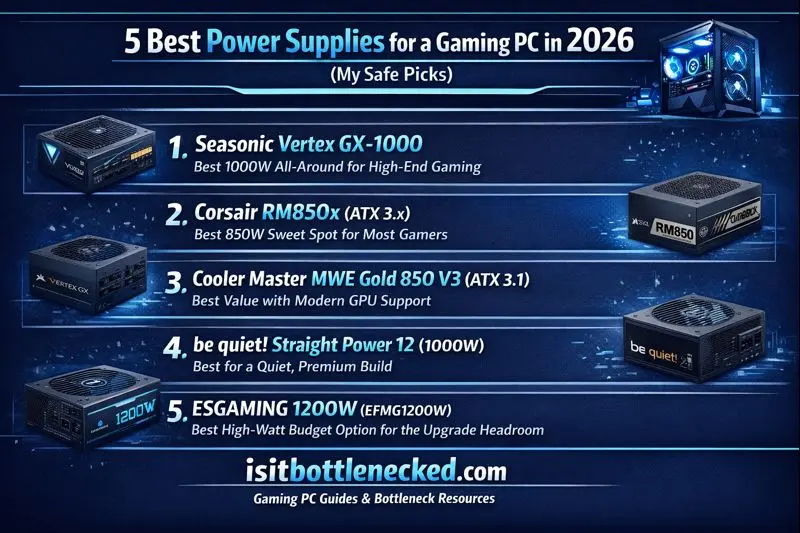
Seasonic Vertex GX-1000, best 1000W all-around for high-end gaming
- Who it’s for: High-end gamers who want headroom and strong long-term reliability.
- Wattage: 1000W
- Efficiency: 80 Plus Gold (about 90% at 50% load on 115V is the common benchmark for Gold)
- What I like: ATX 3.1 and PCIe 5.1 support, fully modular, and Seasonic’s reliability reputation. It also has a fan mode that can stop the fan at light loads.
- One downside: Often costs more than great 850W units, and it can be overkill for midrange builds.
- Pair it with: High-end GPU and a high-end CPU, especially if you plan upgrades.
Corsair RM850x (ATX 3.x), best 850W sweet spot for most gamers
- Who it’s for: Most single-GPU builds that need stable power and low noise.
- Wattage: 850W
- Efficiency: 80 Plus Gold
- What I like: Steady output, quiet operation, fully modular, and a 10-year warranty is common on this class. It’s also a popular, well-supported choice.
- One downside: Can feel tight if you chase extreme future GPUs or heavy overclocking.
- Pair it with: A strong single-GPU gaming rig aiming for high FPS without PSU stress.
Cooler Master MWE Gold 850 V3 (ATX 3.1), best value with modern GPU support
- Who it’s for: Builders who want ATX 3.1 features without premium pricing.
- Wattage: 850W
- Efficiency: 80 Plus Gold
- What I like: ATX 3.1 and PCIe 5.1 readiness, strong real-load efficiency claims in reviews, and a 10-year warranty.
- One downside: It’s not a flagship unit, and 850W isn’t meant for the most power-hungry setups.
- Pair it with: Midrange to upper-midrange builds that still want the right modern GPU cable support.
be quiet! Straight Power 12 (1000W), best for a quiet, premium build
- Who it’s for: Anyone chasing a low-noise build without getting sketchy on power quality.
- Wattage: 1000W
- Efficiency: Often sold in Platinum-leaning configs (varies by exact model), with a strong focus on low noise.
- What I like: Quiet-first design, strong regulation, and enough headroom that your PSU fan doesn’t need to scream.
- One downside: Price is higher, and it’s not for tight budgets.
- Pair it with: A premium quiet build with a high-end GPU, where silence matters.
ESGAMING 1200W (EFMG1200W), best high-watt budget option for upgrade headroom
- Who it’s for: Upgrade-heavy builders who want lots of wattage without paying top-tier prices.
- Wattage: 1200W
- Efficiency: Marketed as Gold-level (confirm the exact certification on the listing you buy)
- What I like: Big headroom for future GPU swaps, extra drives, and heavy loads.
- One downside: It’s a less-known brand, so I care a lot about warranty length and consistent third-party reviews before I trust it.
- Pair it with: An upgrade-heavy build where you want room to grow, but you’re still watching cost.
Quick checklist before you buy (and before you plug it in)
Before I hit “order,” I check this stuff. It saves returns and, worse, saves hardware.
- Case clearance: Some 1000W units run long. Measure first.
- Cable type: Confirm you’re getting the correct 12VHPWR or 12V-2x6 cable from the PSU maker.
- No sharp bends: Don’t kink the GPU power cable at the plug, give it space.
- Count connectors: Make sure you have enough PCIe power plugs for your GPU (and future upgrades).
- Right wattage: Size for load spikes, not just average draw.
- Plan the platform: Your CPU and board choices change power needs, I map it out alongside a motherboard and CPU plan.
Conclusion
The PSU is the part nobody thinks about until something goes wrong. It's not exciting, but it's what everything else runs through — and a bad one doesn't just die quietly.
These five picks cover the range most gaming builds actually need: 850W for current mid-to-high-end setups, 1000W if you're running a flagship GPU or planning upgrades, and a budget option that doesn't cut corners on the spec. All ATX 3.x, all properly sized for GPU spike behavior.
If you want a specific recommendation, drop your CPU, GPU, and case below.
FAQs: Best Power Supply for Gaming PC in 2026
Is 850W enough for a gaming PC in 2026? For most single-GPU builds, yes. The edge case is a high-TDP GPU paired with a power-hungry CPU, both running hard at the same time — that's where 850W starts cutting it close on spikes. I go to 1000W when I want room for that or when I'd rather not pull the PSU out again during a future GPU upgrade.
Do I need ATX 3.1, or is ATX 3.0 fine? ATX 3.0 is fine, especially from a manufacturer with a solid track record. ATX 3.1 tightens the transient spike spec and matches up better with current connector standards. If you're buying new and the price difference is a few dollars, take the 3.1. If the 3.0 option is significantly cheaper and from a reputable line, it'll do the job.
Gold vs Platinum — does it matter? Not for gaming performance. Platinum efficiency means less heat at load, which can mean the fan stays quieter longer. Whether that's worth paying for depends on the price gap and how much the noise bothers you. I don't chase Platinum on a tight budget, but I'll take it when the difference is small.
What makes a PSU shut off during games? Most of the time it's one of these: the unit can't handle the spike even if average draw looks fine, the PSU is overheating due to poor airflow or a cheap fan, a cable isn't seated properly, or the power strip is tripping under load. Shutdowns that only happen in GPU-heavy scenes and nowhere else point to the PSU first. Shutdowns that happen randomly suggest heat or a loose connection.
How do I use a 12VHPWR or 12V-2x6 cable safely? Seat the connector fully — you should feel it click or stop with no wiggle. Then check it with a flashlight. It's easy to think it's in when it's not quite there. Keep some slack in the cable near the connector so it's not under tension from the routing. Use the cable that shipped with the PSU. After moving the PC anywhere, check the plug before powering on.