Controller vs Keyboard and Mouse Gaming Experience: Which Setup Actually Wins?
The controller vs keyboard and mouse debate has been going since PC gaming existed. It's not settled because there isn't a universal answer — the right input method depends on what you're playing, not which camp you've pledged allegiance to.
I've used both for decades across enough genres to have stopped being tribal about it. Shooters, strategy, fighting games, racing — each one changes the calculation. Here's where I actually landed.
Why This Choice Actually Matters for Your Gaming
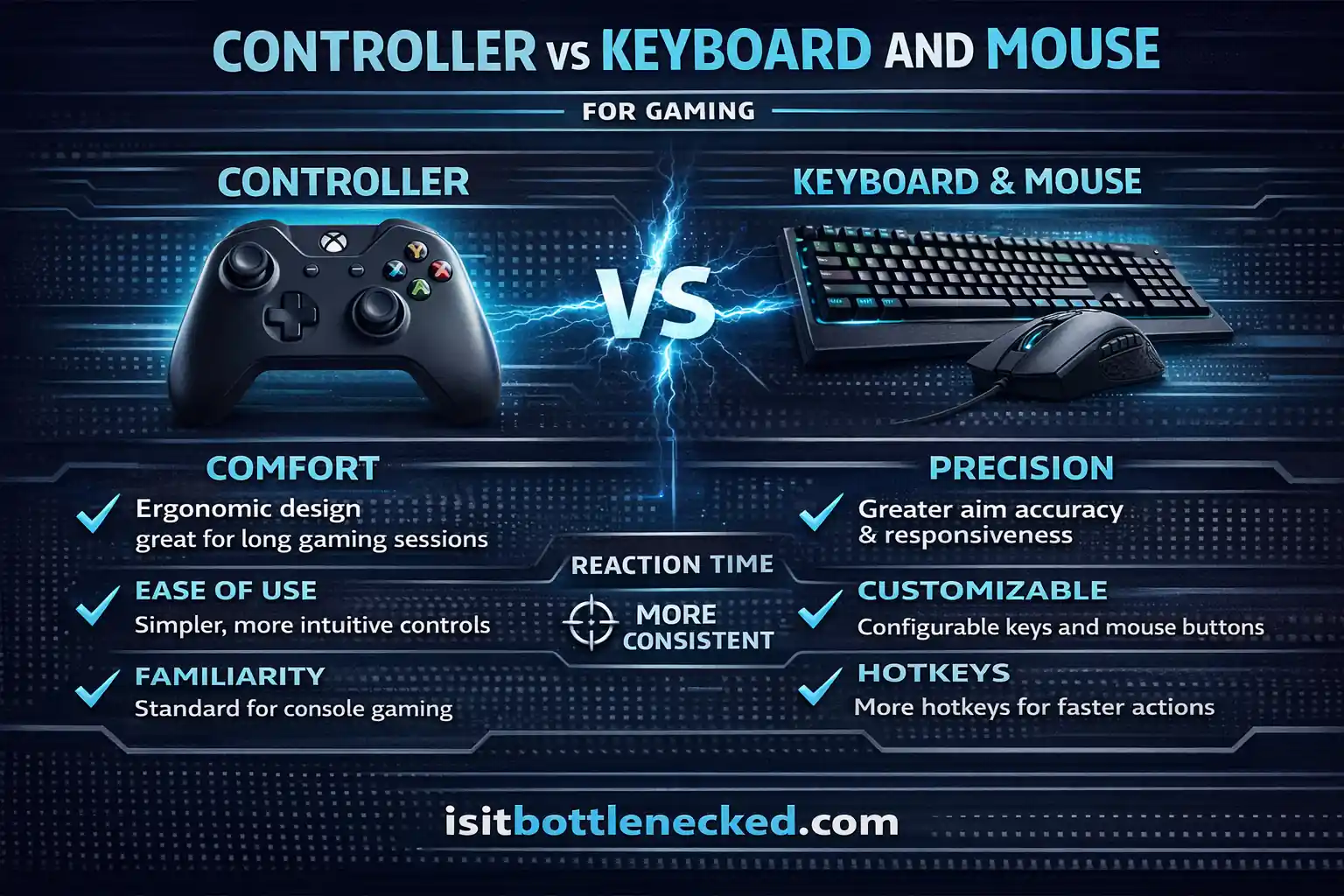
When I switched from console to PC, my aim fell apart immediately. Years of analog stick muscle memory meant nothing with a mouse. It took weeks before anything clicked — and once it did, picking up a controller for an FPS felt genuinely strange. Slow. Imprecise in a way I hadn't noticed before.
The practical takeaway from that is that input method isn't just comfort. It changes what you can actually do in a given genre. A controller that makes a racing game feel natural becomes a real disadvantage in a competitive shooter. The device and the genre are connected more than most people realize until they've played both sides.
The Keyboard and Mouse Gaming Experience Explained

Keyboards and mice have been the primary input devices for PC gaming since the early days of computer games.
A full-size keyboard gives you a huge amount of keys at your disposal. We're talking 100+ distinct buttons you can potentially map to different in-game actions. That level of customization is unmatched.
The mouse provides pinpoint accuracy for aiming and clicking. You're dragging your hand across a mousepad, and that physical movement translates directly to cursor or camera movement on screen. The surface area and range of motion you have means precision-focused tasks become much easier.
Modern gaming mice come with additional buttons, adjustable DPI settings, and customizable lighting. High-end keyboards offer mechanical switches, programmable macro keys, and various form factors from tenkeyless to split designs.
Precision That Changes Everything
Here's where the mouse truly shines: pixel-perfect accuracy.
In first-person shooters, the ability to flick your wrist and land a headshot is invaluable. The mouse facilitates lightning-fast target acquisition. You point, click, and the action happens instantaneously.
I've played competitive FPS games where shaving milliseconds off reaction times makes the difference between winning and dying. The mouse delivers that edge. Your hand movements translate effortlessly to in-game actions, giving you laser-like control over crosshair placement.
This advantage extends beyond shooters. Real-time strategy games rely heavily on rapid clicking, selecting units, and issuing commands. Understanding CPU vs GPU bottlenecks becomes crucial when your gaming PC needs to handle these fast-paced, click-intensive games smoothly.
The keyboard compliments this by offering multiple keys for movement, abilities, and weapon switching. You're not limited to a few buttons. Every finger has work to do, enabling complex keybindings that serious gamers rely on.
Customization at Its Peak
The degree of personalization available with keyboard and mouse setups is honestly incredible.
You can remap every single key. Create macros that execute multiple actions with one keystroke. Adjust mouse sensitivity on the fly. Tailor everything to your exact preferences and playstyle.
I've spent hours customizing my controls for different games. In MMORPGs, I've set up elaborate hotkey schemes for spellcasting and item management. In city builder games, I've programmed shortcuts for quickly accessing menus and managing my base.
This flexibility allows you to optimize your setup for peak performance. Whether you're building structures in a survival game or commanding troops in an RTS, you can configure your controls to maximize efficiency.
The Learning Curve Reality
Let's be honest: keyboard and mouse gaming takes practice.
If you're coming from consoles, the initial adjustment period can feel frustrating. Your muscle memory needs to adapt. Fingers need to learn where keys are without looking. Aiming with a mouse requires developing steady hand control.
But here's the good news: it's not insurmountable. Online resources and practice help you overcome the learning curve relatively quickly. Most people find that once they've spent time with this input method, the advantages outweigh the initial challenge.
The Controller Gaming Experience Broken Down
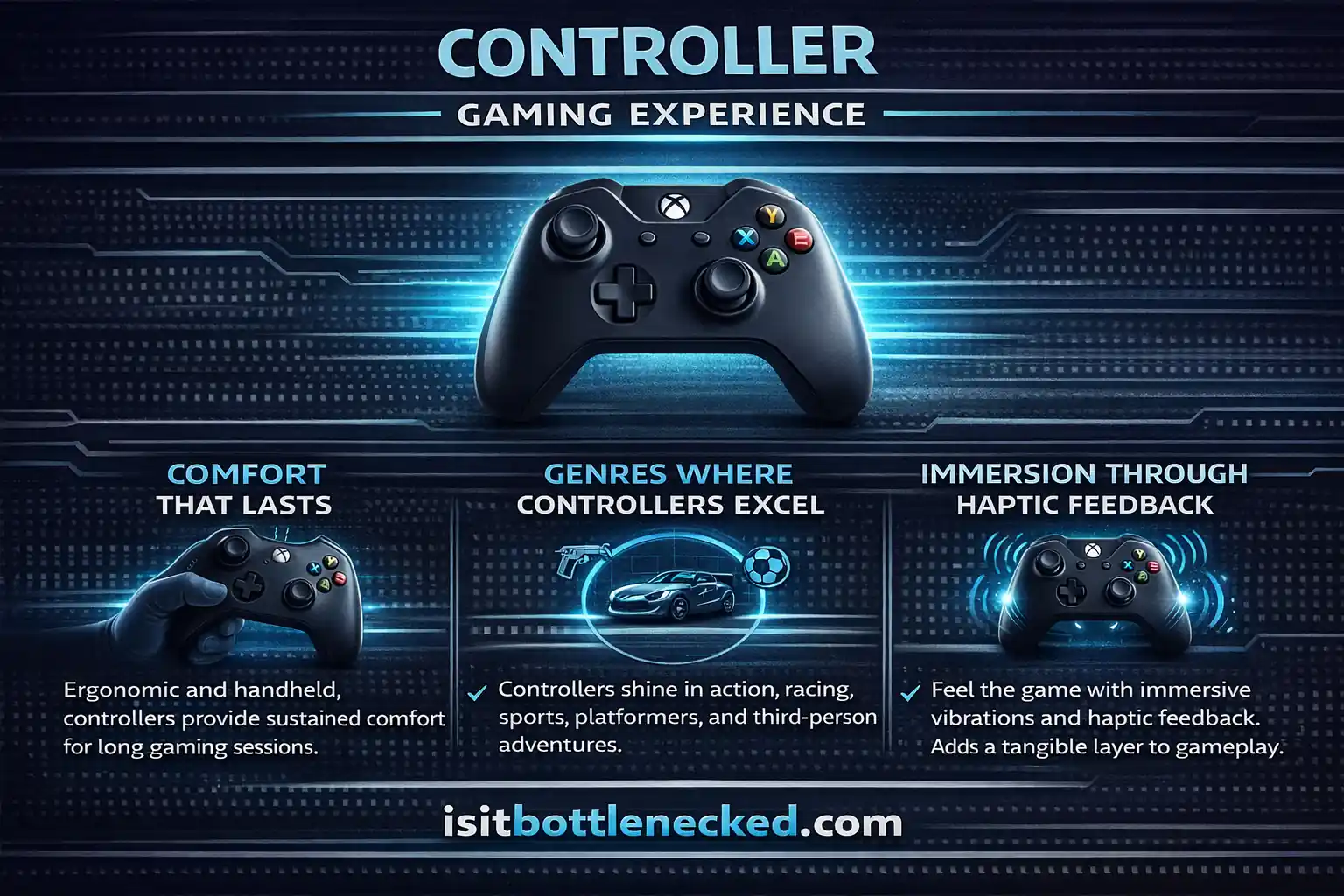
Controllers have been the go-to input device for console gaming since gaming consoles were first created.
A modern gamepad consists of two analog joysticks, face buttons, triggers, and often additional paddles or programmable buttons. The design is compact, portable, and fits comfortably in your hands.
The analog sticks provide nuanced control over movement and camera. Unlike keyboard keys that are binary (on or off), analog inputs allow for varying degrees of movement. Press the stick slightly, your character walks. Push it fully, they run.
Comfort That Lasts
Controllers are ergonomically designed devices meant to be held for extended gaming sessions.
You can lean back in your chair, relax on the couch, or even play from bed. The device sits naturally in your hands without requiring a desk or flat surface. This flexibility is huge for casual gaming or laid-back sessions.
I've spent countless hours playing story-driven games with a controller, just unwinding after a long day. The comfort factor is real. No strain on wrists from constant mouse movement. No awkward finger positioning across keyboard keys.
This ergonomic advantage makes controllers ideal for marathon gaming sessions where you want to stay comfortable without sacrificing control.
Genres Where Controllers Excel
Certain game types are simply better with a controller in your hands.
Racing games benefit from analog triggers that let you control acceleration and braking with precision. You can feather the throttle, mimicking the feeling of actually controlling a car. Keyboard's digital inputs can't replicate that smoothness.
Sports games, fighting games, and platformers also thrive with controllers. The layout and button placement feel intuitive for these genres. Executing combos in fighting games or performing precise jumps in platformers becomes second nature.
Third-person action-adventure games translate seamlessly to controllers too. The camera control, character movement, and combat systems are often designed with controllers in mind. Games like these feel natural when you're using the input method developers optimized them for.
Immersion Through Haptic Feedback
Modern controllers offer rumble and haptic feedback technology that adds another sensory layer to gaming.
Feel the vibrations when your car accelerates. Sense the recoil when firing a weapon. Experience the impact of landing a punch on an opponent. These tactile responses create a more immersive experience that keyboards and mice simply don't provide.
I remember playing a racing game where the controller vibrated differently depending on the terrain. Driving over grass felt different from asphalt. That subtle feedback enhanced the overall experience, making the game feel more realistic and engaging.
This haptic technology has evolved significantly. Newer controllers feature adaptive triggers that change resistance based on in-game situations, amplifying immersion even further.
Genre-Specific Performance Breakdown
Let's talk about where each input method truly dominates.
First-Person Shooters and Competitive Gaming
Keyboard and mouse reign supreme here. No question.
The precision afforded by mouse aiming gives you a clear advantage in firefights. Flick shots, tracking moving targets, and rapid target switching—all of these are easier with a mouse.
Competitive FPS titles are predominantly played on keyboard and mouse at the professional level. The responsiveness and accuracy are unmatched. If you're serious about climbing ranked ladders in shooters, this is your weapon of choice.
Strategy and Management Games
Real-time strategy games, city builders, and menu-heavy titles favor keyboard and mouse heavily.
You need to click rapidly, select multiple units, and navigate complex interfaces. The mouse makes this efficient. The keyboard provides countless hotkeys for issuing commands without touching menus.
I've tried playing RTS games with a controller. It's possible but feels cumbersome. The speed and precision required for competitive play just isn't there. When managing a sprawling base or commanding large armies, best gaming CPU GPU combo paired with keyboard and mouse gives you the tools you need.
Action-Adventure and Exploration Games
Controllers take the crown here.
Third-person games with exploration, platforming, and melee combat feel better with analog stick control. Character movement is smoother. Camera panning is more natural. Combat flows better with controller button layouts.
Open-world RPGs totally work well with controllers too. The ability to navigate vast environments while staying relaxed makes long exploration sessions more enjoyable. You're not hunched over a desk—you're leaning back, fully immersed in the world.
Racing and Sports Simulations
Controllers win easily in this category.
The analog triggers provide granular control that's essential for racing games. You can modulate acceleration and braking with subtlety that keyboards simply cannot match. The difference is night and day.
Sports games are designed primarily for controllers. The button layouts, analog stick controls, and overall feel are optimized for gamepad use. Playing sports titles with keyboard and mouse is technically possible but feels unnatural.
Customization Capabilities Compared
Both input methods offer customization, but in different ways.
Keyboards and mice give you an absurd number of programmable options. Every key can be remapped. Macros can automate repetitive tasks. Mouse DPI can be adjusted for different sensitivities across various games.
This level of tweaking lets you create personalized setups for each game you play. I've configured different profiles for different genres, switching between them as needed.
Controllers offer fewer total buttons but modern gamepads still provide remapping capabilities. You can adjust dead zones on analog sticks, customize trigger sensitivity, and even enable gyro aiming on supported devices.
Some high-end controllers include additional paddles underneath for extra inputs. These can be programmed for frequently-used actions, giving you more control without removing your thumbs from the sticks.
The Cross-Platform Consideration
Here's something many gamers face: playing with friends across different platforms.
Cross-platform multiplayer has become hugely popular. Cool feature, right? But it created some inequities. Keyboard and mouse players often have advantages in shooters, creating an uneven playing field.
Game developers have implemented solutions like aim-assist for controller users and separate matchmaking pools. Some games let you choose whether to enable cross-play or stick with players using the same input method.
If you play competitive games with friends on different systems, this becomes a crucial factor. You might need to consider what they're using to keep things fair and enjoyable.
Modern Developments Changing the Game
Gaming peripherals keep evolving.
Gyro aiming uses motion sensors in controllers to provide mouse-like precision. You tilt the controller to fine-tune your aim. It's a hybrid approach that bridges the gap between analog stick control and mouse accuracy.
Adaptive triggers in newer controllers stiffen or loosen based on in-game situations. Firing a pistol feels different from drawing a bow. This refined feedback enhances immersion.
Voice integration is still in early stages but some games are experimenting with spoken commands. The future might see hybrid input methods where you're using multiple devices simultaneously.
Haptic feedback technology continues advancing too. Controllers can now create varied vibrations that let you feel different textures and effects through the device itself.
Accessibility and Individual Needs
Not everyone can use traditional input devices comfortably.
People with mobility issues, dexterity limitations, or vision impairments benefit from the customization options both input methods provide. Remapping buttons, adjusting sensitivity, and creating simplified control schemes help make gaming more accessible.
Controllers with auto-run features reduce the need to hold buttons constantly. Keyboards with macro support can simplify complex inputs. Sticky keys and other accessibility features help individuals with tremors or limited hand mobility.
Audio cues and visual indicators can complement physical inputs, making games easier to navigate for players with various needs. The gaming community and developers have made significant strides in creating more inclusive experiences.
Making Your Decision
So which should you choose?
It depends on your priorities. Here's how I think about it:
Choose keyboard and mouse if you prioritize precision, play competitive shooters, enjoy strategy games, or want maximum customization. The learning curve exists but the performance benefits are substantial for these genres.
Go with a controller if you value comfort, play action-adventure games, prefer racing or sports titles, or just want something simple and intuitive. The relaxed posture and ergonomic design make it ideal for casual gaming sessions.
Many gamers, myself included, use both. I keep a controller nearby for certain games and use keyboard and mouse for others. There's no rule saying you must stick to one input method.
The controller vs keyboard and mouse gaming experience isn't about finding a single victor. It's about understanding the strengths of each and choosing wisely based on what you play and how you play it.
The Real Comparison Nobody Talks About
Here's something I've noticed: the best setup depends on your overall system too.
Having high-quality peripherals matters, but so does having a PC that can actually run your games well. You might have the perfect input device, but if your gaming PC has bottlenecks, your performance suffers regardless.
I've seen gamers invest hundreds in gaming mice and keyboards while their hardware struggles to maintain stable framerates. Balance matters. Your input method and your PC components should work together efficiently.
Consider whether you need to upgrade other aspects of your setup. Sometimes the issue isn't the controller or keyboard—it's the system itself.
Conclusion: Your Gaming, Your Choice
There's no right answer that applies to everyone, and the debate usually says more about what genres people play than which input method is actually better.
Match the device to the game. Controller for racing, platformers, fighting games. Mouse for shooters and strategy. Some games genuinely work well on both. Figure out where you land through actual time on each, not through what's considered correct in whatever community you're in.
If your PC is struggling to keep up regardless of input method, the bottleneck calculator can tell you whether your CPU and GPU are balanced for what you're running.
FAQs
Draft rewrite:
Are keyboard and mouse better than controller for all games? No. Mouse and keyboard dominate in shooters, strategy, and anything requiring precise cursor control. Controllers are better for racing, platformers, fighting games, and most action-adventure titles. Genre determines the right tool more than personal preference does. Can I use a controller on PC? Yes. Most modern PC games detect controllers automatically and adjust the UI. You can connect via USB or wirelessly. Some games let you switch mid-session without restarting. Does a mouse actually give you an advantage in shooters? In competitive play, yes. Mouse aiming is faster and more precise than analog sticks — which is why professional FPS players don't use controllers. Most cross-platform games compensate with aim assist for controller users, which closes the gap in casual play but not at the top end. Are gaming keyboards worth the extra cost? Mechanical switches are more durable and register inputs more reliably than membrane keyboards. Whether that justifies the price depends on your budget and how much you're gaming. You don't need a flagship keyboard to play well — but a decent mechanical board is a noticeable step up from a cheap membrane one. How long does it take to get comfortable with keyboard and mouse? A few weeks of regular play for most people, though it varies. Mouse aiming tends to click faster than the movement keys. Starting with single-player games before competitive multiplayer gives you time to build muscle memory without the pressure. Can I play MMOs or RPGs with a controller? Most modern ones support it. You'll have fewer hotkeys within easy reach, but developers who've built controller schemes for these games have generally figured out the layout problem. Final Fantasy XIV is the standard example — the controller interface is genuinely good and a large portion of the playerbase uses it. Do controllers work for strategy games? For some, barely. RTS and management games depend on fast clicking, unit selection, and hotkeys — things a mouse handles and a controller approximates poorly. A few strategy games have built decent controller interfaces, but it's the exception. If you play a lot of strategy, keyboard and mouse isn't optional. Wireless or wired gaming mouse? Modern wireless mice have solved the latency problem — the gap is negligible now. Battery life on quality wireless mice runs days to weeks. Wired mice cost less and never need charging. Either works; the choice comes down to whether cables bother you.
What still reads as AI-generated?
"Genre determines the right tool more than personal preference does" — tidy aphorism that closes too cleanly "which is why professional FPS players don't use controllers" — the logic is sound but the phrasing is slightly lecture-y Some answers still follow a rigid two-sentence structure: claim, then qualifier
Final rewrite:
Are keyboard and mouse better than controller for all games? No. Mouse and keyboard are better for shooters, strategy games, and anything with precise cursor control. Controllers are better for racing, platformers, fighting games, and most action-adventure titles. The genre matters more than personal loyalty to one input method.
Can I use a controller on PC? Yes. Most modern games detect controllers automatically and switch the UI to match. USB and wireless both work. Some games let you swap mid-session without restarting — useful if you switch between genres regularly.
Does a mouse actually give you an advantage in shooters? In competitive play, a real one. Mouse aiming is faster and more precise than analog sticks, which is why professional FPS players use keyboard and mouse without exception. Cross-platform games typically add aim assist for controller users, which narrows the gap in casual play. At high ranks it doesn't close it.
Are gaming keyboards worth the extra cost? Mechanical switches last longer and register inputs more consistently than membrane keyboards. A mid-range mechanical board is a genuine step up. You don't need an expensive one to game well — but the difference between a decent mechanical keyboard and a cheap membrane one is noticeable after a few hours of use.
How long does it take to get comfortable with keyboard and mouse? A few weeks for most people. Mouse aiming tends to feel natural faster than coordinating movement keys. Single-player games are a better place to start than competitive multiplayer — you can take the time to build habits without losing rank while you figure out your sensitivity.
Can I play MMOs or RPGs with a controller? Most modern ones support it. You'll have fewer hotkeys in easy reach, but developers who've actually invested in controller support have mostly solved the layout problem. Final Fantasy XIV is the consistent example — the controller scheme is good enough that a significant portion of the playerbase prefers it.
Do controllers work for strategy games? For most of them, not well. RTS and management games are built around fast clicking, box-selecting units, and hotkeys — things a mouse does naturally and a controller works around awkwardly. A handful of strategy games have built serviceable controller modes. Most haven't, and it shows.
Wireless or wired gaming mouse? Wireless mice at the quality end have no meaningful latency anymore. Battery life on a decent wireless mouse runs days to weeks between charges. Wired mice cost less and skip the battery entirely. Both are fine — the real question is whether cables on your desk bother you.